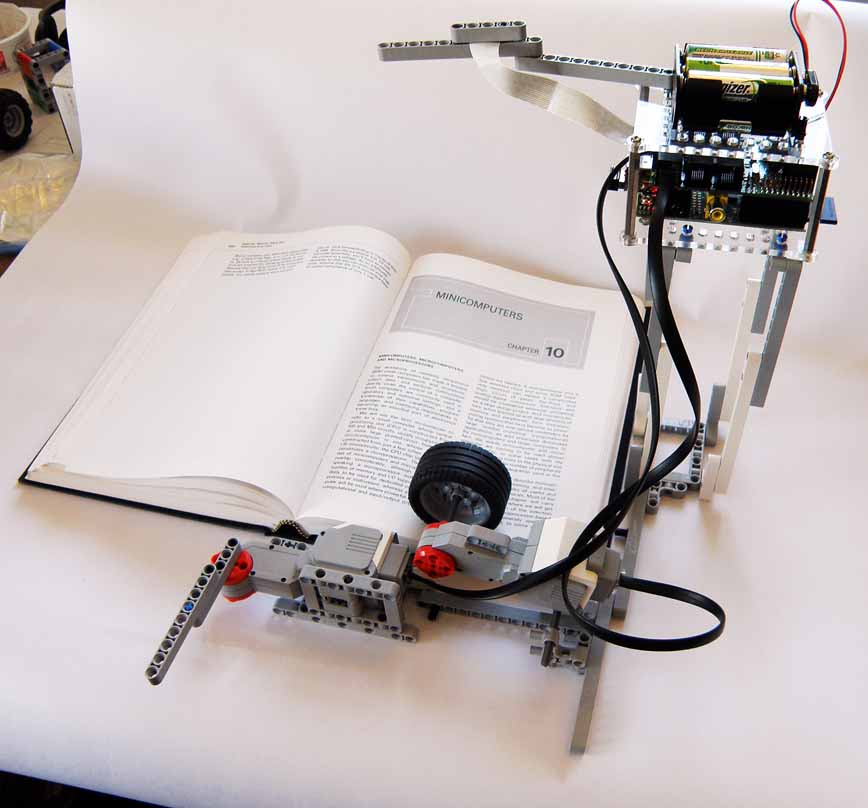
Background
The original BrickPi Bookreader could already read Kindle pages aloud, but the
community wanted something that could handle a real paper book. The challenge:
there was no good, readily available page-turning mechanism to copy. Even Google
failed to turn up something simple enough.
After exploring approaches including LEGO Pneumatics and professional book
scanners, the team settled on a custom mechanism built almost entirely from
LEGO bricks — parts they had in abundance.
The result, BrickPi Bookreader 2, can read any real paper book aloud and
automatically turn each page. The voice is a little robotic, but it gets
the job done.
How It Works
The page-turning mechanism uses two EV3 motors and a heavy LEGO wheel:
- A weighted wheel rotates briefly, pushing the top page upward using friction.
- A rotating arm swings 360° to flip the raised page over completely.
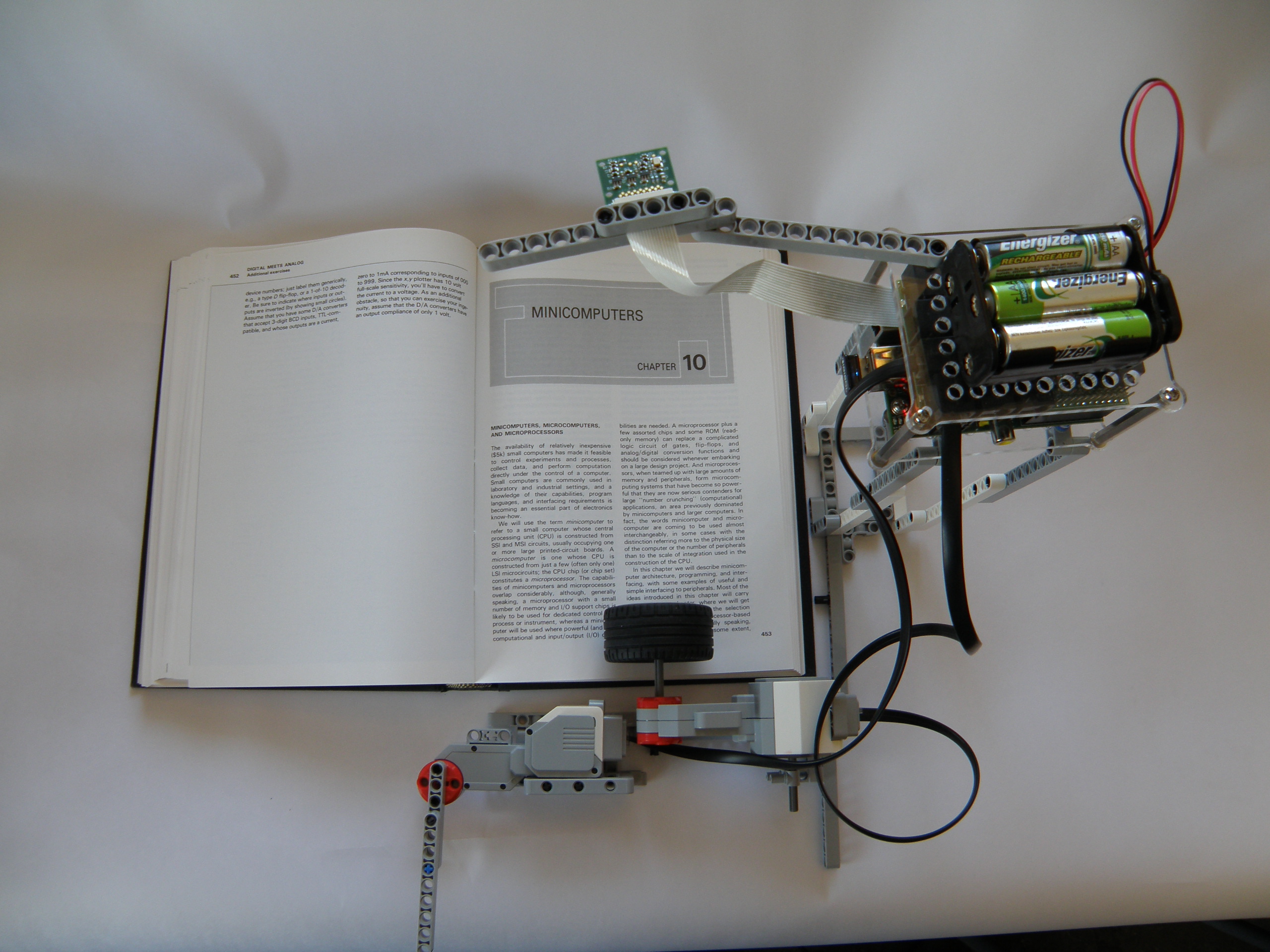
- The Raspberry Pi Camera, mounted above the book, takes a photo of the new page.
- Tesseract OCR converts the photo to text.
- eSpeak speaks the text aloud through speakers connected to the Pi's audio jack.
- The cycle repeats for the next page.
Parts Required
- BrickPi (any version)
- Raspberry Pi
- Raspberry Pi Camera Module
- 2 × LEGO EV3 Large Motors
- LEGO wheel (heavy, for page friction grip)
- LEGO beams and pins for the platform structure
- Small speaker (connected to the Pi's 3.5 mm audio jack)
- microSD card with Raspberry Pi OS Trixie for BrickPi3
- 12 V battery pack for BrickPi
Building the Bookreader
1. Set Up the Camera
Connect the Pi Camera module via the ribbon cable. The camera ships with its
focus fixed at infinity, so you'll need to manually adjust the focus for
close-up use (the camera will be about 25 cm above the book). Several community
guides cover how to do this safely without damaging the lens.
Test the camera with:
raspistill -o image.jpg
Mount the camera at the desired height above the book. Take a test image and
check that the full page is captured and the text is legible. Readjust height
and focus until the text is sharp.
2. Set Up Text-to-Speech (eSpeak)
Check that audio output works first:
aplay /usr/share/sounds/alsa/*
Then install eSpeak:
sudo apt-get install espeak
Test it:
espeak "hello"
3. Install Tesseract OCR
sudo apt-get install tesseract-ocr
Take a photo of a printed page and test recognition:
tesseract image.jpg output
Open output.txt to review the result. If recognition is poor, try
rotating the image 90° and re-running Tesseract.
4. Build the LEGO Platform
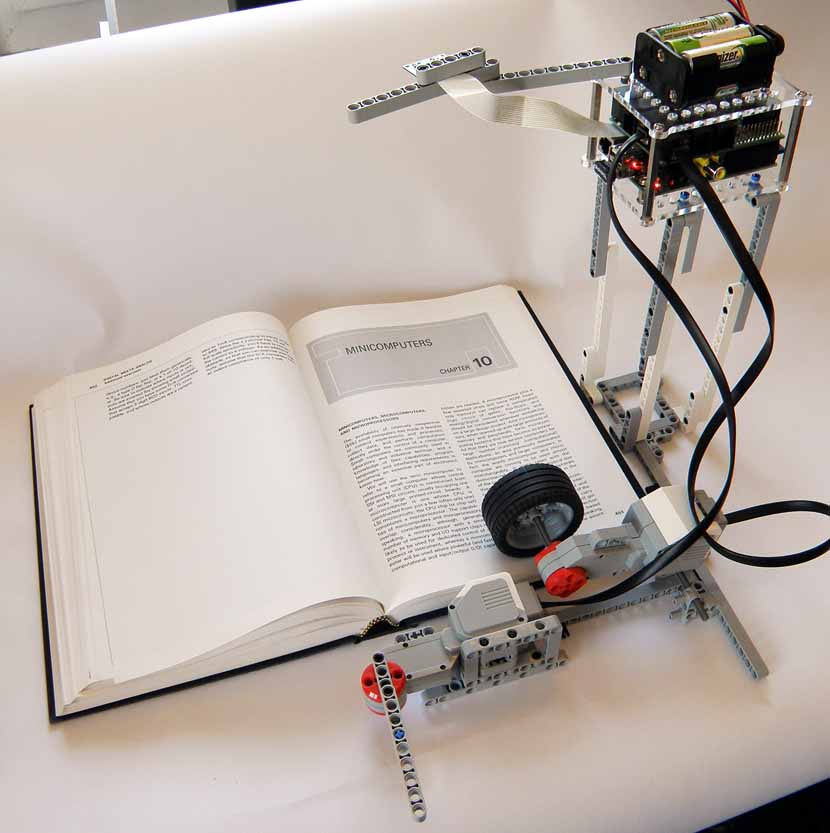
The structure that ended up being used looks somewhat like an AT-AT Walker from
Star Wars — tall legs supporting a raised platform that holds both the BrickPi
and the camera high enough above the book.
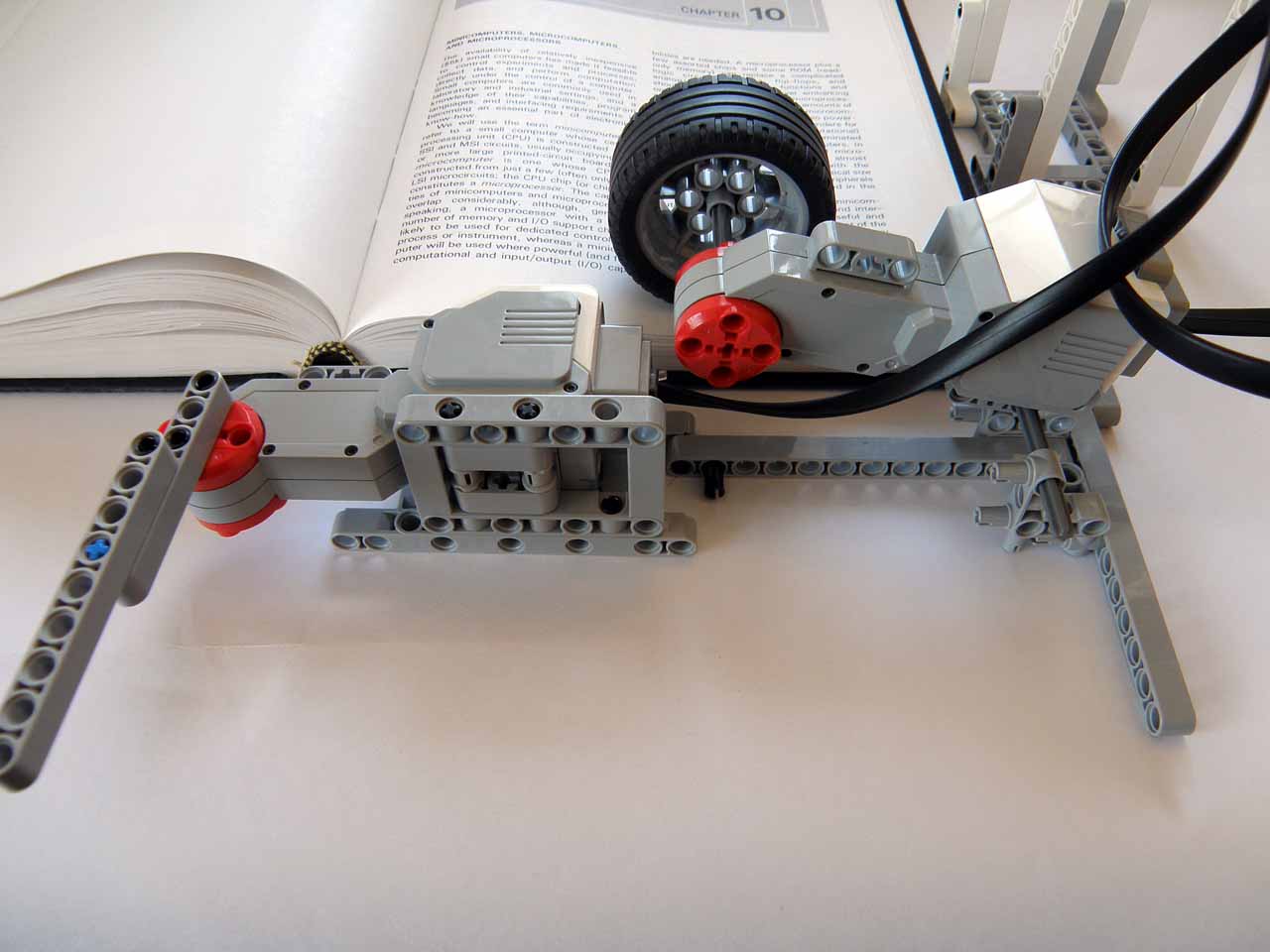
Key tips for the motor placement:
- The arm motor must only reach about 2.5 cm inside the book on each revolution so it gets a soft grip on the page without picking up multiple pages at once.
- The wheel motor must not be rigidly fixed — it should be able to pivot slightly at its mount point so it remains pressed down against the pages as they accumulate on one side.
- Motor port assignment: arm motor → Port A of BrickPi.
Use the test script in the GitHub repository to calibrate timing variables
(speed_roller, speed_arm, t1, t2)
until the page-turn reliably picks up exactly one page.
Putting It All Together
Once the camera, OCR, TTS engine, and LEGO platform are all working individually,
download the main script from the BrickPi GitHub repository and run it:
git clone https://github.com/DexterInd/BrickPi_Python.git
cd BrickPi_Python
sudo python bookreader.py
Place an open book on the platform under the camera. The robot will photograph
the page, read it aloud, then turn to the next page and repeat.
Build Your Own Bookreader
The full source code is on GitHub. Share your build on the community forum!