Back to Projects
BrickPi3 Project
BrickPi3 BalanceBot
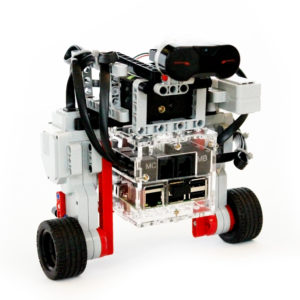
A self-balancing Segway robot built with LEGO EV3 parts, BrickPi3, and a Raspberry Pi. Uses the EV3 gyroscope to stay upright and is controlled via the LEGO remote.
BrickPi3 Project
A self-balancing Segway robot built with LEGO EV3 parts, BrickPi3, and a Raspberry Pi. Uses the EV3 gyroscope to stay upright and is controlled via the LEGO remote.
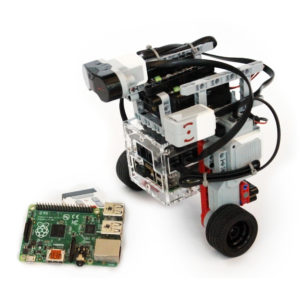
The BrickPi3 BalanceBot is a two-wheeled self-balancing robot — a Segway in LEGO form. It uses the EV3 Gyro Sensor to measure its tilt angle and continuously adjusts motor speed to stay upright. The full build uses parts from the LEGO Mindstorms EV3 kit and is controlled wirelessly using the LEGO Remote Control.
All software is written in Python and runs directly on the Raspberry Pi. The BrickPi3 reads the gyroscope over its sensor ports and drives the two EV3 motors through its motor ports — no additional hardware required.
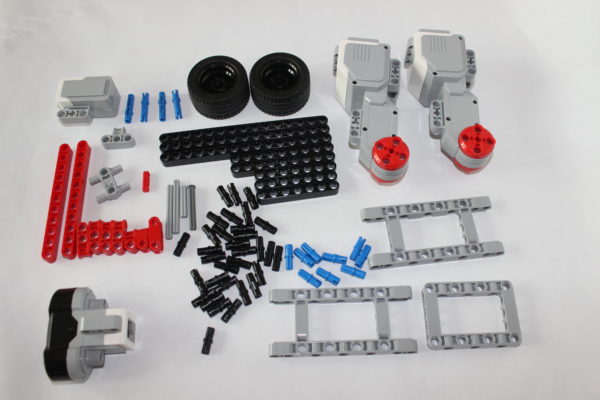
Full building instructions are available in LEGO Digital Designer (LDD) format — download them from the GitHub repository:
All structural parts are included in the standard LEGO Mindstorms EV3 kit. Assemble the chassis following the LDD file, attach the BrickPi3 to the Raspberry Pi, and connect the motors and gyro sensor to the appropriate ports.
Connect the hardware as follows:
All software is free and open source on GitHub:
git clone https://github.com/DexterInd/BrickPi3.git
cd BrickPi3/Software/Python/Projects/BalanceBot
sudo python BalanceBot.py
On-screen instructions will guide you through the setup and calibration steps. Place the robot upright before running — it will calibrate the gyro on startup and begin balancing automatically.
The Python program reads the EV3 Gyro Sensor angle once per control loop. A PID (Proportional–Integral–Derivative) controller calculates the motor output needed to keep the tilt angle at zero. The BrickPi3 sends that output to the two EV3 motors. At the same time, the program reads the LEGO IR Remote Control for forward/backward/turn commands, which it adds as an offset to the balance setpoint.